


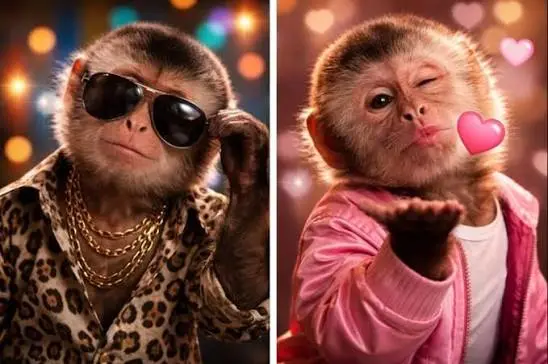
A great conversation is rarely just about the words. Sometimes it is the reaction, the timing, or the little visual moment that makes someone laugh and keeps a chat going. That is exactly why GIFs have become such a natural part of texting, social media, dating apps, and online communities.
On a site like RizWays, where humor, confidence, flirting, and creative conversation starters are central, visual content can make a good message feel even more memorable. A perfectly timed reaction GIF can turn a simple joke into something funnier, make a playful pickup line feel less serious, or communicate an emotion when words alone do not quite capture the moment.
If you have a funny video clip sitting on your phone or computer, turning it into a shareable GIF is easier than you might expect. A GIF converter can help transform a short video into a looping visual that is easy to use in chats, posts, memes, and social content.
Why GIFs Work So Well in Online Conversations
Text can sometimes be difficult to interpret.
For example, imagine sending someone, “Wow, you’re really confident.”
Depending on the conversation, that could sound sincere, sarcastic, playful, or even slightly annoyed. Add the right reaction GIF, and suddenly the intended tone becomes much clearer.
That is one reason GIFs have become so useful. They add context and emotion without requiring a long explanation.
For flirting and casual conversations, this matters even more. A GIF can communicate excitement, surprise, laughter, embarrassment, teasing, or disbelief in a fraction of a second.
Instead of replying with a paragraph after someone sends a ridiculous message, you can send a funny reaction and keep the conversation moving.
Turn Your Favorite Moments Into Something Shareable
One of the best things about creating your own GIFs is that you are not limited to whatever reactions happen to be available in a GIF library.
Think about the moments you already have saved:
- A friend making an unexpectedly funny face
- A hilarious scene from a personal video
- A dramatic reaction during a gaming session
- A funny dance move
- A pet doing something ridiculous
- A memorable moment from a trip
- A short clip that perfectly matches an inside joke
These moments can become personalized reactions that feel much more authentic than generic internet GIFs.
For example, suppose your friend sends you a message claiming they are “definitely not nervous” before meeting their crush. If you have a video of that same friend nervously pacing around before an event, turning that moment into a GIF could create an inside joke that is far more memorable than a random reaction image.
GIFs and Rizz: Keep the Humor Natural
There is a temptation to overthink flirting online.
People search for the perfect pickup line, the perfect response, and the perfect comeback. But the strongest conversations usually feel spontaneous rather than scripted.
GIFs can help because they give you another way to react without making every message sound like a carefully prepared line.
Imagine someone says:
“I don’t usually reply this fast.”
A long response might make the moment feel overly serious. A playful GIF showing exaggerated excitement could keep things light.
The important part is matching the reaction to the relationship and conversation. A funny GIF works best when it feels like something you would genuinely send.
That principle applies to rizz lines, too. Humor tends to work better when it feels personal instead of copied and pasted.
Keep Your Clips Short and Focused
Not every part of a video needs to become a GIF.
In fact, shorter clips are usually easier to use in conversations. If the funny moment happens between seconds four and seven, there is little reason to include the first twenty seconds of the original video.
Before converting a clip, identify the exact moment you want people to see.
Ask yourself:
What is the reaction or joke here?
Once you know the answer, trim everything that does not contribute to it.
A focused clip is more effective because the viewer immediately understands what they are supposed to notice.
Choose Moments With Clear Reactions
The best GIFs usually communicate something quickly.
A facial expression, dramatic gesture, sudden movement, or obvious reaction can work particularly well because viewers understand it without needing additional context.
For example, a clip of someone slowly turning around in disbelief can become a useful reaction when a friend tells you something unbelievable.
A dramatic celebration can work when someone sends good news.
A confused expression can become your response to an intentionally ridiculous pickup line.
Think of GIFs as visual punctuation. A question mark, exclamation point, or laughing emoji changes the feeling of a sentence. A GIF can do the same thing on a much larger scale.
Pay Attention to Quality
A GIF does not need to look like a professional production, but quality still matters.
Start with the clearest version of the video you have. Avoid repeatedly downloading and re-uploading the same clip because compression can make the final result blurry.
Good lighting also helps. If the original footage is dark or difficult to see, the GIF may become even less useful after conversion.
For social posts, memes, or messages, clarity usually matters more than resolution alone. The viewer should immediately recognize the person, expression, or action taking place.
Consider the File Size
There is another practical issue people sometimes overlook: GIFs can become surprisingly large.
A long, high-resolution GIF may be inconvenient to upload or send, especially on platforms with file-size restrictions.
That is another reason to keep the clip short and remove unnecessary frames.
If you are making something specifically for messaging, you generally do not need an extremely long animation. A few seconds can be enough to deliver the joke.
The goal is not to turn an entire video into an animated file. The goal is to capture the moment that people will actually want to watch.
Use GIFs to Build Inside Jokes
This is where personalized GIFs can become especially fun.
Inside jokes are powerful because they create a shared language between people. A normal GIF might make someone laugh once, but a personalized GIF from a shared experience can become something you repeatedly use.
Maybe your group has a friend who always reacts dramatically to minor inconveniences. Capture one of those moments, turn it into a GIF, and suddenly you have a custom reaction that only your group understands.
The same idea works in relationships and dating. A funny moment from a first date, trip, game night, or shared experience can become a playful callback later.
Those small references often feel more personal than generic internet humor.
Match the GIF to the Mood
Context matters.
A hilarious reaction might be perfect in a group chat but completely wrong in a serious conversation. Likewise, an overly dramatic GIF can make a simple message seem more intense than intended.
Before sending one, consider:
- Is the conversation already playful?
- Does the other person understand the reference?
- Could the GIF be interpreted differently?
- Does it fit the relationship?
- Does it actually add something to the message?
When the answer is yes, the GIF becomes part of the conversation rather than a distraction from it.
Don’t Let Visuals Replace Personality
The biggest mistake is relying on GIFs too heavily.
A GIF should enhance your personality, not become your entire communication style. If every response is just an animated reaction, the conversation can start to feel repetitive.
Use visuals when they genuinely make the moment funnier, clearer, or more expressive.
Combine them with your own words, jokes, observations, and questions. A funny GIF followed by a personal comment will usually create more conversation than a GIF sent completely on its own.
For example, instead of sending only a laughing reaction, you might add, “Okay, you actually had me convinced for a second.”
That small addition gives the other person something to respond to.
Final Thoughts
GIFs are a simple way to bring more emotion, humor, and personality into digital conversations. For rizz, memes, dating chats, group conversations, and social posts, the right visual can make an ordinary exchange much more memorable.
The trick is not to use more GIFs—it is to use better ones. Choose short, recognizable moments, keep the quality clean, pay attention to context, and whenever possible, create reactions that have some personal meaning. When the visual matches the moment naturally, even a simple conversation can become a lot more entertaining.
Also Read
